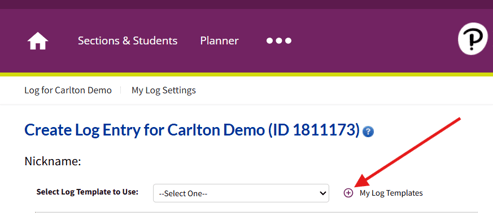
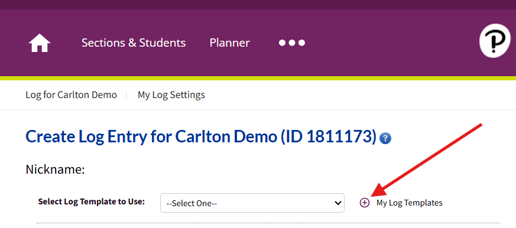
To create your first log template, open a Student Log and click on the plus sign next to "My Log Templates."
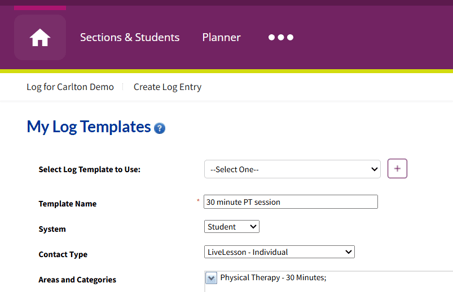
To create a new template, fill out the following information within the template:
- Template Name: Choose one
- System: Student
- Contact Type: Choose one (most often "LiveLesson - Individual")
- Areas and Categories: Select your most commonly used therapy session option.
You can create multiple log templates so that it is easy to log for both therapy sessions and evaluations.
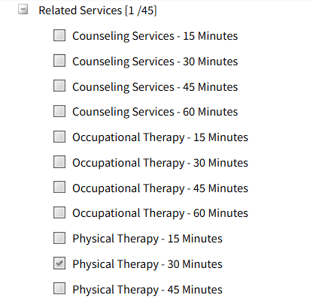
In the screenshot above, "Physical Therapy - 30 Minutes" has been selected from the Related Services Areas and Categories.
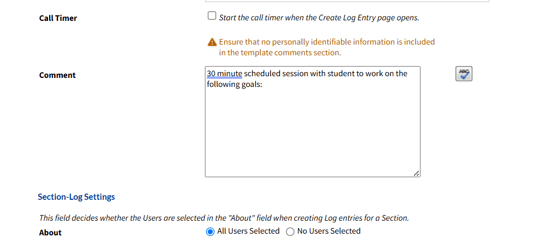
Include a generic comment which can be edited after using the template for individual students.
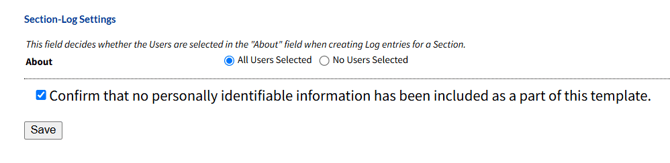
Before you save the template, you must confirm that no personally identifiable information (PII) is included within the template. Then click "Save."
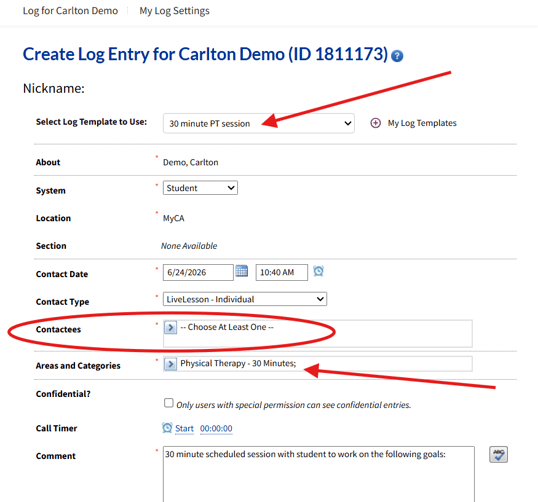
From the student's Log page, select a log template that you would like to use.
In the screenshot below, the log template named "30 minute PT session" has been selected and pre-populated with information from the template. remember to add Contactees, make any necessary adjustments to the comment, and click "Save."