
- Navigate to the Customer Portal and log in.
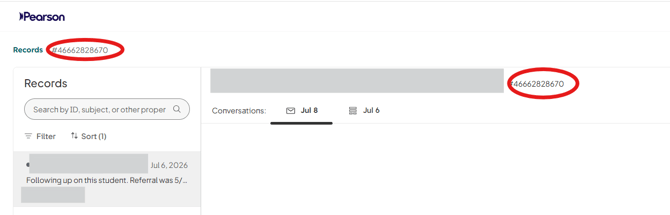
- Find the ticket ID for which you have not received payment by the expected day and copy the ID number to reference when creating a ticket. The ticket ID can be found next to the Record pane (left side) when opening a ticket as well as next to the ticket name in the center pane.
- Open the Billing/Invoice Support Form.
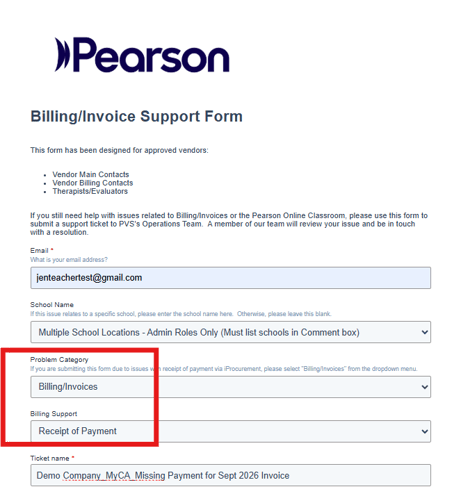
- Enter the following information:
-
- Email address
- School name
- Problem Category: select "Billing/Invoices"
- Billing Support: select "Receipt of Payment"
- Ticket Name
- Ticket description: Include the original ticket's ID number
Submit the ticket one all information has been entered.