
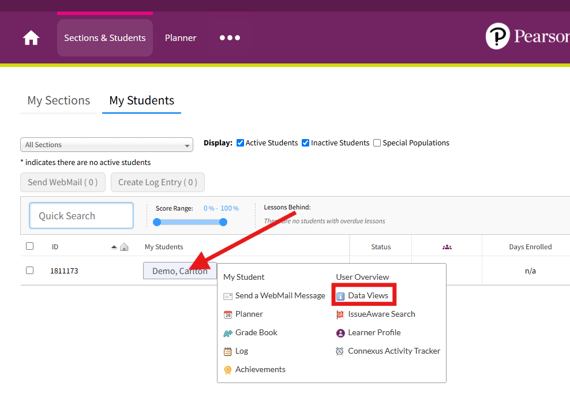
After logging into the Pearson Online Classroom, click on Sections and Students from your Teacher Homepage. Hover over the student whose data views need to be accessed and select "Data Views."
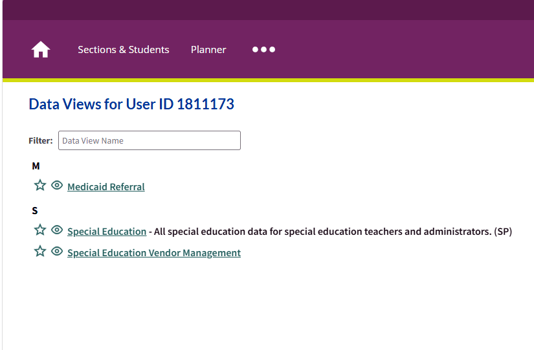
You will see a list of data views similar to the ones below. Depending on your location and role, you may see some additional options on the list. The Special Education Data View is a comprehensive DV that includes all information about the student's compliance dates, services, disability, accommodations, and copies of IEP documentation. The Special Education Vendor Management DV was developed specifically for third-party providers and includes an IEP documentation section at the bottom of the page which includes copies of the student's IEPs, PWNs, evaluation documentation, and progress reports.
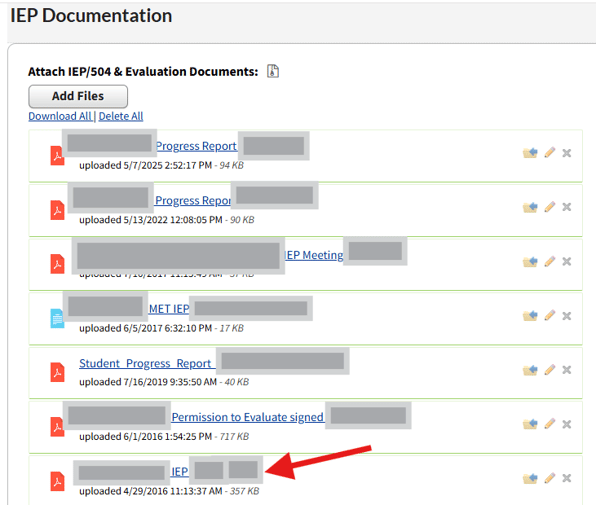
The IEP Documentation section of both data views is where you can find the current IEP, signed consent to evaluate (if applicable), and recent evaluation report(s). There are separate sections for annual IEPs, progress reports, prior written notice (PWN), and evaluation documentation. In the screenshot below, you can see how files are listed by name and include the date of upload.
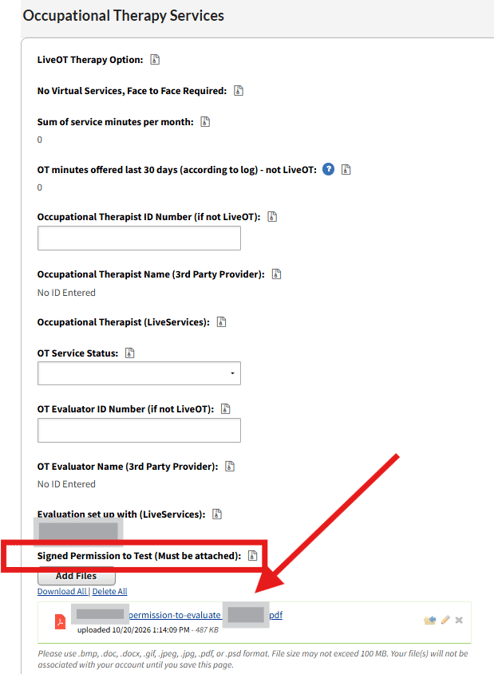
Signed permission to test documents are located in the Special Education Vendor Management Data View. Since students may be evaluated by more than one provider, a signed CTE form will be uploaded in each section that has a requested evaluation. In the screenshot below, a signed consent form has been uploaded for an occupational therapy evaluation.
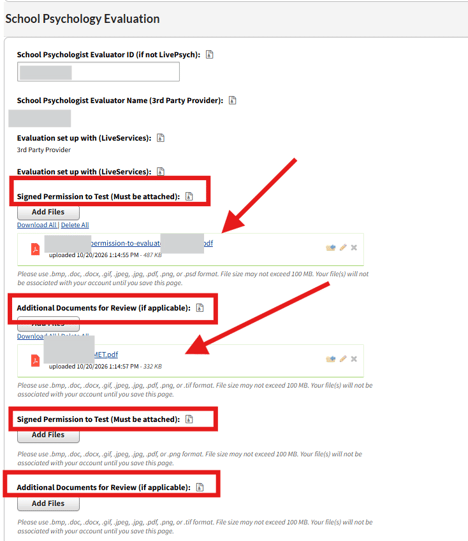
All sections have one upload button per section with the exception of psychology evaluations. Psychology evaluation sections have four buttons that may include uploaded permission to test, outside reports, or consent for additional areas of evaluation. In the example below, the student has two files uploaded.
Some schools also have providers utilize their IEP system using a separate log-in. Please reach out to your assigned school's special education director or related services coordinator if you have questions about how to access information in the IEP system (if required).