![pearsonlogo.png]](https://knowledge.pvsvendorportal.com/hs-fs/hubfs/pearsonlogo.png?height=40&name=pearsonlogo.png)
Updates to Tier IV roles/permissions have made the Special Education Vendor Management Data View the central location to find parent/guardian contact information including phone number, email address, and webmail links. Follow the steps below to access the Special Education Vendor Management Data View for your students.
How to Access the Vendor Management Data View
- Log into the Pearson Online Classroom.
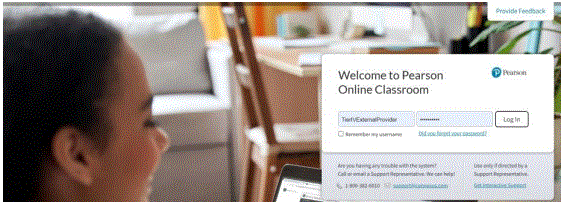
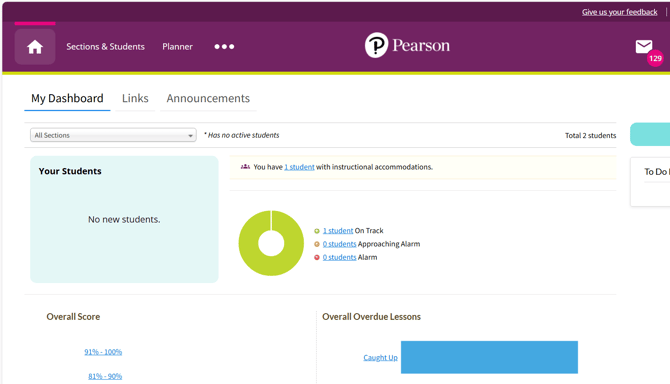
2. Select Sections & Students from the Homepage.
3. Select My Sections (if you have more than one) and go to a specific section. Then select a student’s name to view the pop-up list of options. Select Data View from the list of options in the right side column (User Overview).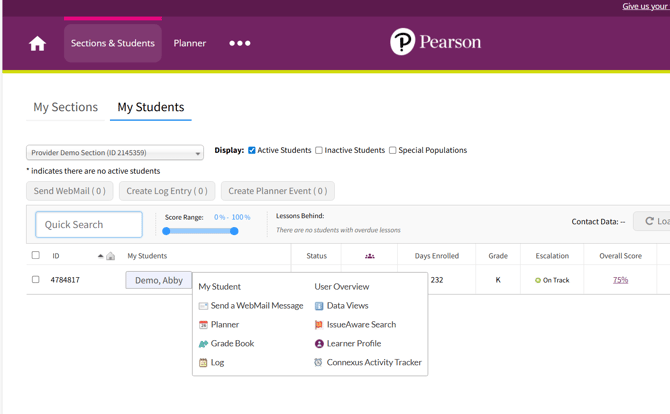
5. View the list of available data views and select Special Education Vendor Management
Data View.
You can click the star icon next to any data view if you want to make this a favorite data view which will always appear at the top of the list.

Contact Information in the Vendor Management Data View
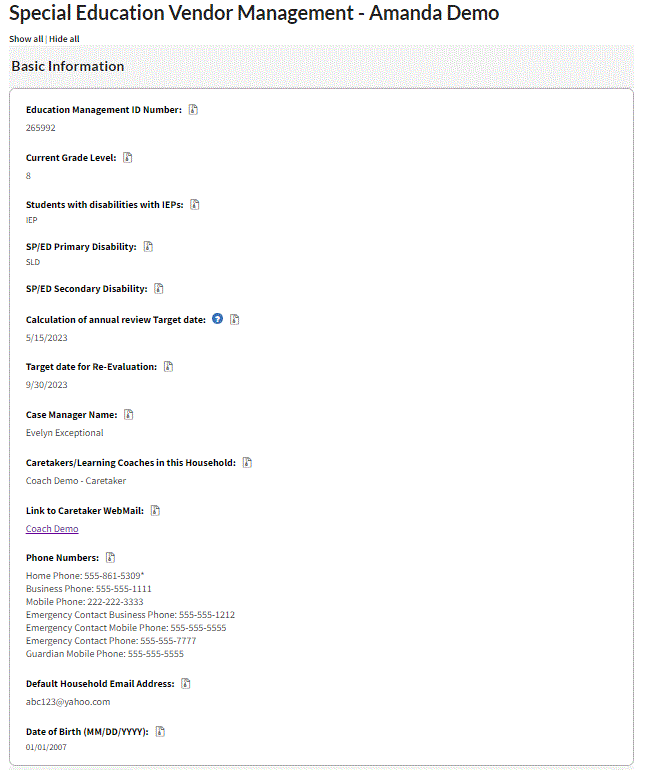
The Basic Information section of this data view is a read-only section that pulls information about the student from other fields and data views. It contains information about the family such as their phone number, webmail link, and email address as well as information specific to the IEP such as the student's disability, annual review target date, and anticipated re-evaluation date. These fields are available:
- Caretakers/Learning Coaches
- Link to Caretaker Webmail
- Phone Numbers
Notice in the screenshot below that there is a webmail link for the caretaker. This is how you can easily send a webmail to the student's caretaker.
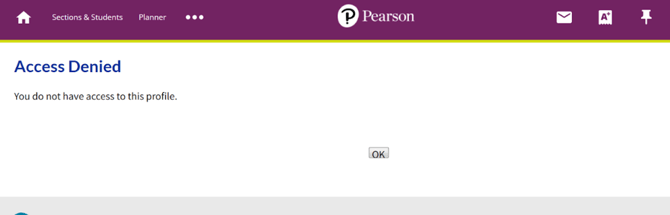
The following links will display "Access Denied" messages if you click on them from My Students page:
- User Overview
- IssueAware Search
- Learner Profile
- Connexus Activity Tracker
Even though contact information is available for a family, this information is not visible for Tier IV providers within the Student Log. You will see a similar blank message to the one below when attempting to view contact information within the log. Remember to go to the student's Vendor Management Data View to view their contact information instead.